AI Text Watermark Remover

Text Cleaner

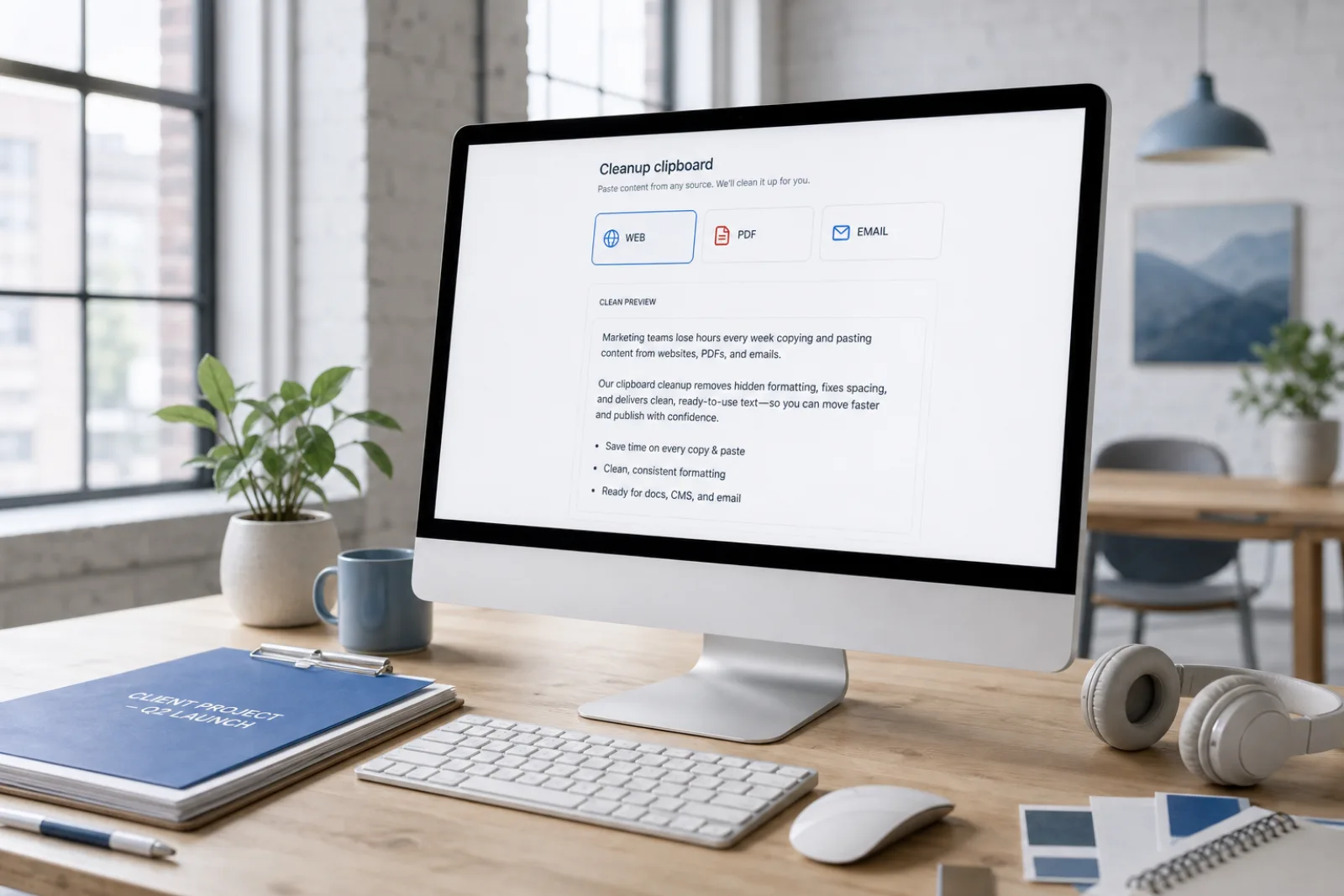
Clean pasted text from any web page, PDF, document, or AI assistant. Strip 60 invisible Unicode code points, irregular spaces, and Markdown tags locally.

Fast cleanup
Privacy-first free tools
No login required
0 characters · 0 words
Works with paste fromClaudeChatGPTGeminiDocsCMSEmail

How Text Cleaner Sanitizes Clipboard Content

Understand how non-printing Unicode characters, irregular spaces, and formatting tokens disrupt digital text and how to clean them.

How Text Cleaner Sanitizes Clipboard Content
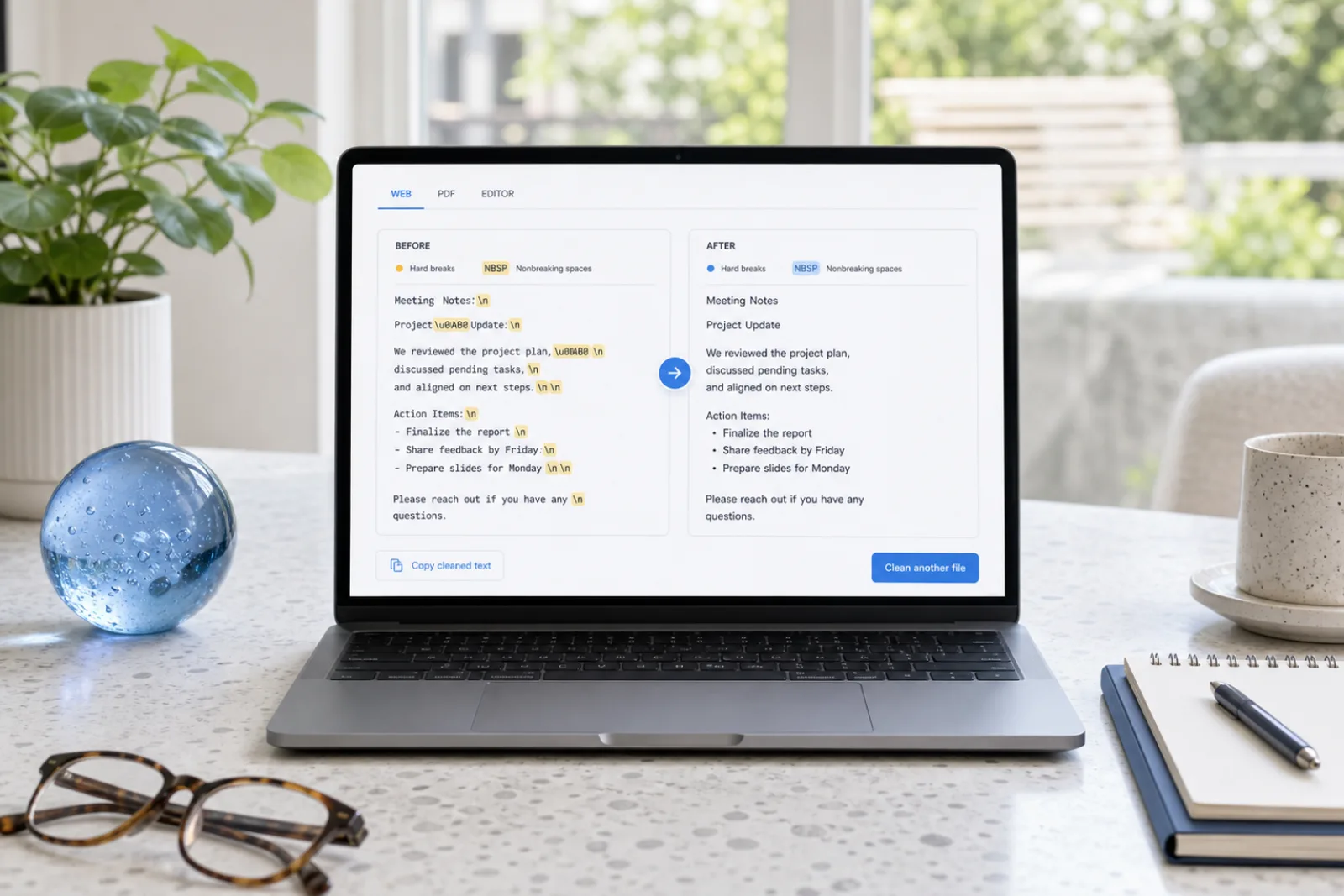
Before3 hidden · Markdown noise
Sure! Here’s a summary​ —
**Key points**
- First item
> Note: important 
AfterVisible text intact
Sure! Here's a summary —

Key points
• First item
Note: important

Two Types of Text Noise: Formatting Residue vs. Phrasing Quality

Clean pasted text from any web page, PDF, document, or AI assistant. Strip 60 invisible Unicode code points, irregular spaces, and Markdown tags locally.

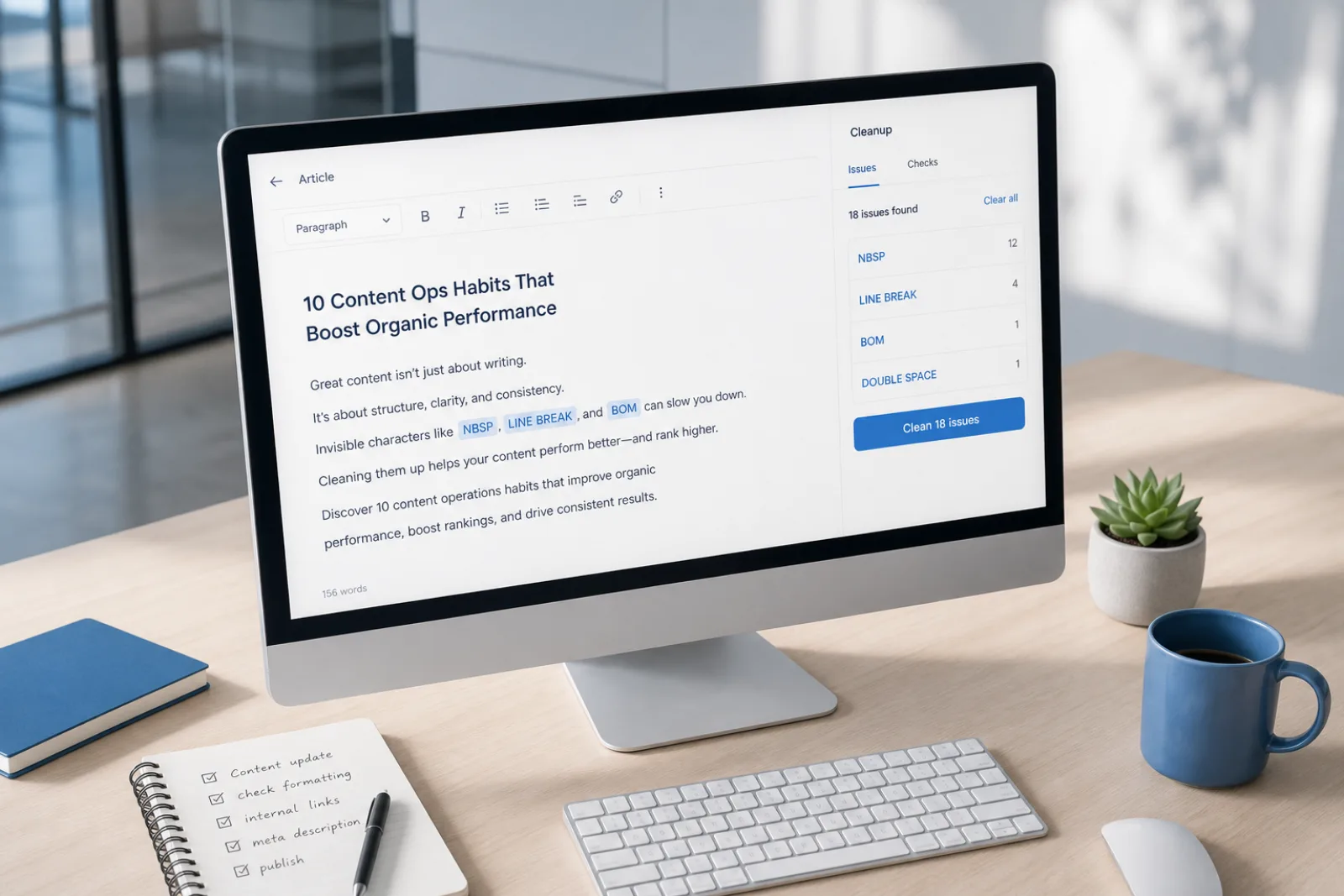
1. Hidden Unicode Characters & Markup Tokens

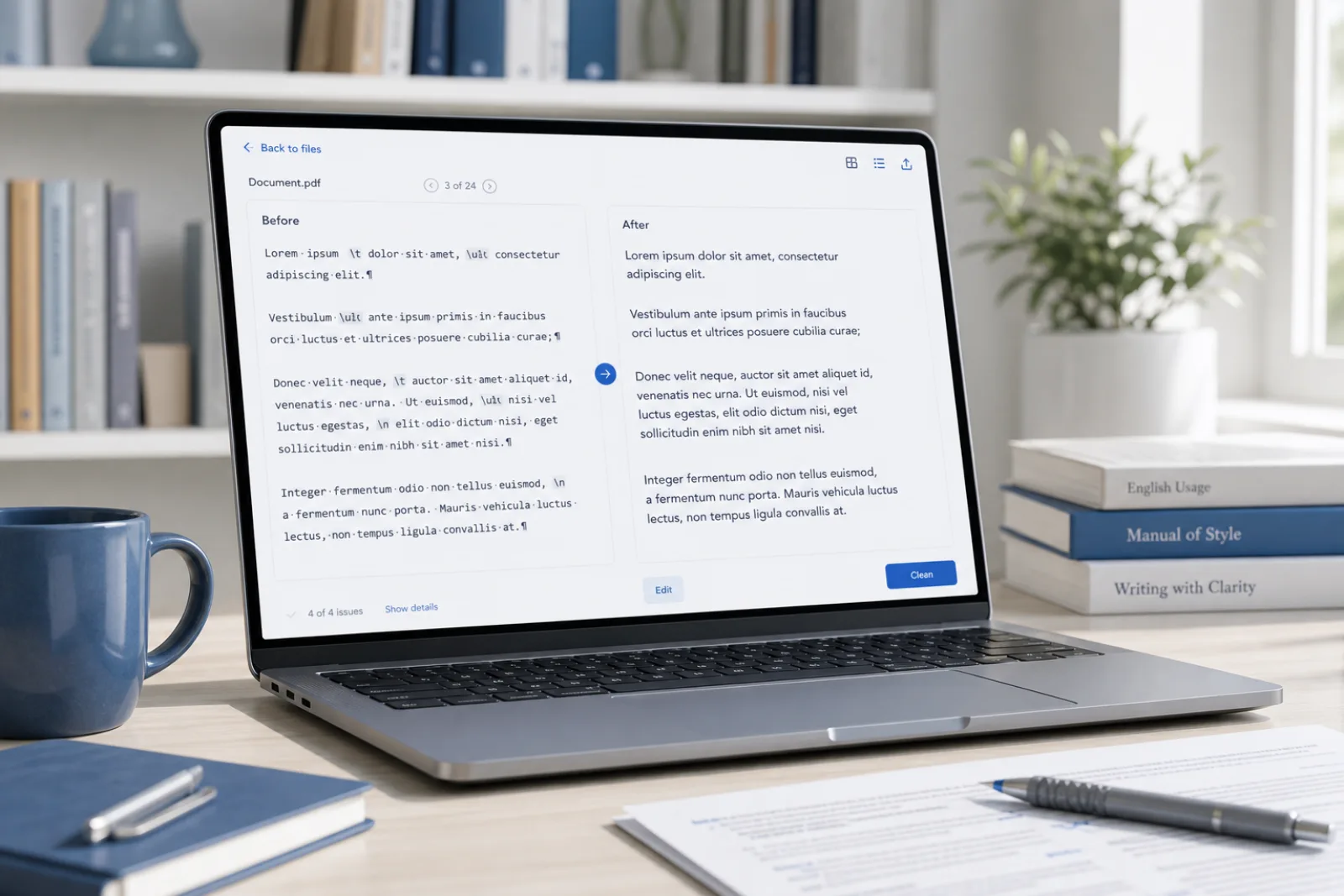
Invisible code points (such as zero-width spaces, narrow no-break spaces, and byte-order marks) along with Markdown syntax markers (such as asterisks, headers, and code fences). These are deterministic formatting artifacts that can be detected and purged locally in your browser without changing your words.
2. Clunky Sentence Structure & Word Choice

Awkward grammatical syntax, redundant transitions, or overly dense prose resulting from automated translation, OCR extraction, or rough drafting. Improving sentence structure requires semantic restructuring via our Pro rewrite engine rather than character-level deletion.

Privacy first

Invisible-character and Markdown cleaning run locally in your browser. We don’t store Free-tool text.

How to Clean Pasted Text in 3 Steps

  1. 01

    Step 1: Paste Text into the Cleaner

    Paste your text from any website, document, PDF, or software application into the editor. The analyzer immediately scans for 60 invisible Unicode characters and identifies formatting tokens.

  2. 02

    Step 2: Clean Invisible Characters and Markdown for Free

    Click Clean to strip all detected zero-width characters, normalize non-standard whitespace, and remove Markdown syntax. The operation runs instantly in your local browser sandbox.

  3. 03

    Step 3: Copy Clean Plain Text or Pro Rewrite

    Copy the sanitized plain text for your CMS, database, or document. If your draft also requires vocabulary refinement or sentence restructuring, you can optionally send it to our Pro rewrite engine.

Universal Text Cleaning Capabilities

Invisible character detection

Free

Detects zero-width spaces, NNBSP, BOM, directional marks and 60+ other invisible code points without rewriting your words.

Markdown cleaner

Free

Strip headings, lists, quotes, and emphasis markers into plain text ready for CMS and editorial review.

Text watermark remover

Pro

Pro rewrite regenerates meaning-preserving text when a watermark is baked into wording — not just hidden Unicode.

AI Humanizer

Pro

Rewrite AI flavor into more natural cadence. No tool can guarantee detector bypass; results vary.

Universal Text Cleaning: Solving Clipboard Glitches Across All Sources

01

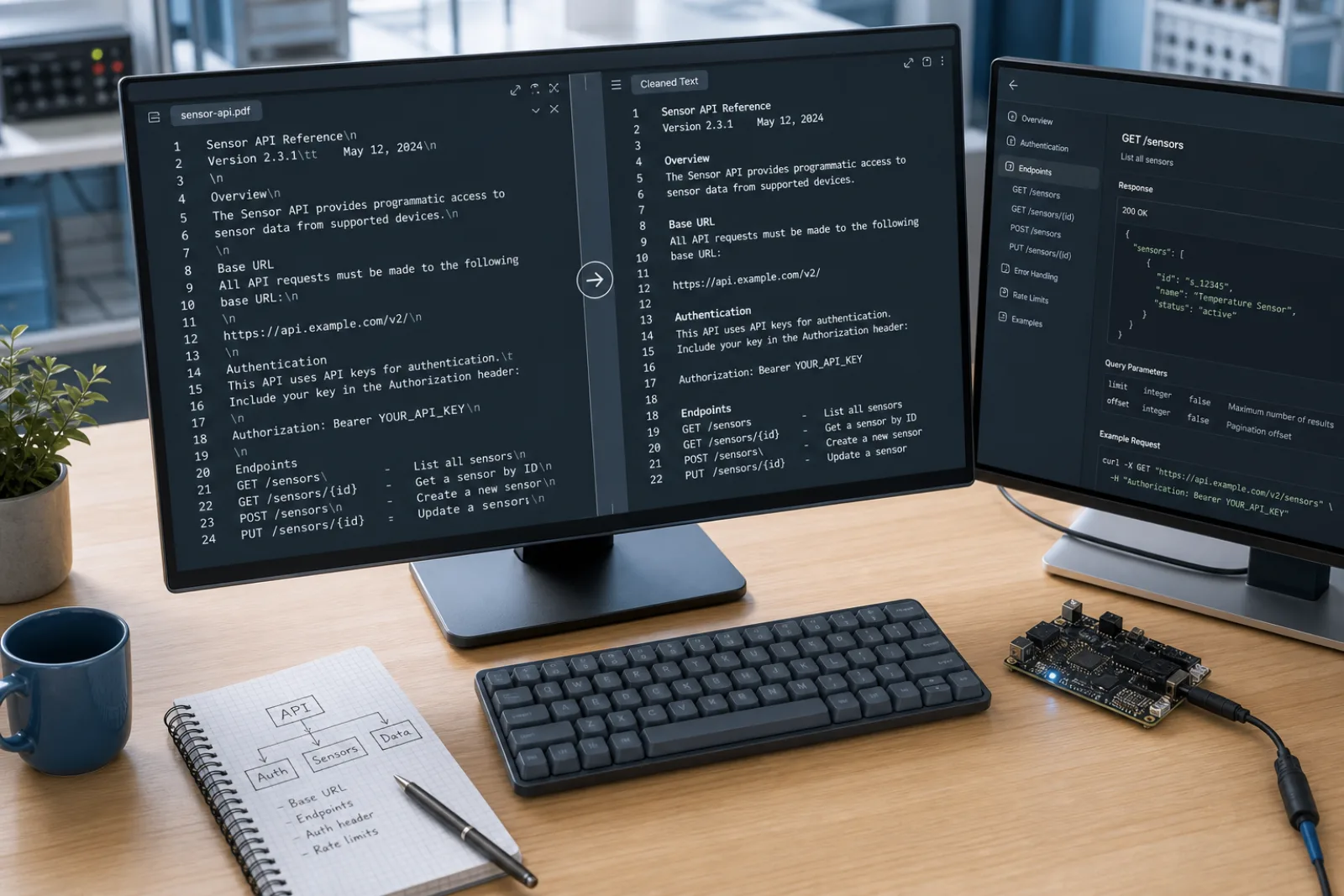
Unwanted formatting artifacts and phantom characters enter your clipboard from many everyday sources beyond AI tools. Copying text from web articles, PDF viewers, scanned OCR documents, legacy Word processors, or terminal consoles often introduces invisible Unicode code points and awkward markup. These artifacts include non-breaking spaces (U+00A0), narrow no-break spaces (U+202F), soft hyphens, and residual Markdown hashes or backticks. Text Cleaner provides a universal, browser-based sanitization workspace to convert noisy pasted text into clean, predictable plain text.

02

Our client-side utility scans your pasted text against a curated library of 60 invisible Unicode characters and non-printing formatting artifacts. It pinpoints hidden delimiters, zero-width spaces (U+200B), and byte-order marks (U+FEFF) that can break string equality comparisons, corrupt database tables, or disrupt web layouts. Because all processing executes locally in browser JavaScript memory, you can clean sensitive company memos, raw source code, or private communications with zero risk of server exposure.

03

Maintaining text hygiene is essential for content managers, software developers, copywriters, and researchers alike. Unsanitized clipboard text often carries styling tokens that distort CMS formatting, introduce invisible break characters into JSON payloads, or generate unexpected line wraps in email templates. Stripping these characters normalizes your text immediately while cleanly preserving intended paragraph divisions and standard whitespace structure.

04

Text Cleaner focuses on deterministic character sanitization and transparent capabilities. While the free tool removes 60 physical Unicode artifacts and formatting markers with 100% accuracy, it does not rewrite sentence content or alter vocabulary. For users needing to improve the readability of rough drafts or streamline awkward wording, our optional Pro rewrite provides meaning-preserving text restructuring. We do not make misleading claims regarding AI detector evasion or statistical watermark removal.

Common Text Cleaning Scenarios Across Platforms

Web and PDF clipboard mess
01

Web and PDF clipboard mess

Text Cleaner is the generic paste sink: hidden Unicode, odd spaces, and leftover markup from pages and viewers.

Open the tool
Editorial copy from anywhere
02

Editorial copy from anywhere

Not limited to one chatbot. Clean what the clipboard actually contains, then decide on rewrite.

Open the tool
Client text without a file parser
03

Client text without a file parser

Paste the text, don’t upload .docx. Binary documents are out of scope on purpose.

Open the tool
Support macros and snippets
04

Support macros and snippets

Strip non-printing marks so canned replies and snippets compare and wrap correctly.

Open the tool

What people say

The free scan lists the code points. I clean the paste in the browser, then only use Pro if the wording itself needs a rewrite.

Content ops

SEO & CMS

Markdown from chat was breaking our editor. Stripping hashes and fences locally is the whole job — no file upload.

Editorial

Publishing

Hidden Unicode broke string equality in a parser. Character cleanup first; sentence rewrite is a different layer.

Engineering

Docs & support

Free In-Browser Cleaning & Pro Text Rewrites

Stripping invisible Unicode and Markdown is always free in your browser, with Pro rewrite credits available for sentence restructuring.

See pricing

Clear Scope and Engineering Limitations

Text Cleaner is designed exclusively for text pasted directly into your browser and does not process uploaded binary files such as Word (.docx), Pages, or PDF files. Additionally, character-level cleaning removes formatting artifacts without altering underlying sentence wording, bypassing commercial AI detectors, or eliminating statistical AI model watermarks. We provide honest, privacy-first text tools without deceptive claims.

Text Cleaner Frequently asked questions

What makes this Text Cleaner different from basic text editors?+

Standard text editors often leave invisible Unicode characters, zero-width spaces, and non-standard whitespace hidden from view. Our Text Cleaner actively scans for 60 specific non-printing code points, highlights their exact locations, and removes them alongside Markdown tags in a single click.

Can I use Text Cleaner for text copied from PDFs and web pages?+

Yes. Text Cleaner is built for all text sources, including PDF readers, websites, OCR software, spreadsheets, and developer consoles. It strips soft hyphens, irregular whitespace, and formatting tags that commonly corrupt clipboard text.

Is my text private when using this online Text Cleaner?+

Yes. All character inspection, zero-width space removal, and Markdown stripping execute 100% locally in your browser via JavaScript. Your text is never sent over the internet or stored on external servers.

Does Text Cleaner modify my paragraph breaks or punctuation?+

No. The tool removes non-printing Unicode characters and styling markup while preserving standard punctuation, foreign accents, and natural paragraph breaks. Your text remains well-structured and easy to read.

Does Text Cleaner bypass AI detectors like GPTZero or Turnitin?+

No. Text Cleaner is a character-level formatting and hygiene utility, not an AI detection evasion tool. AI detectors analyze statistical token predictability and perplexity, which are unrelated to invisible Unicode characters.

When should I use the Pro rewrite feature instead of free cleaning?+

Use the free cleaner when you only need to strip invisible characters, irregular spaces, and Markdown formatting while keeping your exact words. Use the Pro rewrite feature when you want to rephrase awkward sentences, adjust tone, or eliminate repetitive phrasing patterns.

A focused tool for cleaner AI paste

Text Cleaner focuses on deterministic character sanitization and transparent capabilities. While the free tool removes 60 physical Unicode artifacts and formatting markers with 100% accuracy, it does not rewrite sentence content or alter vocabulary. For users needing to improve the readability of rough drafts or streamline awkward wording, our optional Pro rewrite provides meaning-preserving text restructuring. We do not make misleading claims regarding AI detector evasion or statistical watermark removal.

Clean Your Text Now

Clean pasted text from any web page, PDF, document, or AI assistant. Strip 60 invisible Unicode code points, irregular spaces, and Markdown tags locally.